
Use Cases
How to secure data by care home with Power BI row-level security
How PTR can build row-level security into a Power BI semantic model for adult social care providers, so each home manager sees only their own home in reports the group shares.

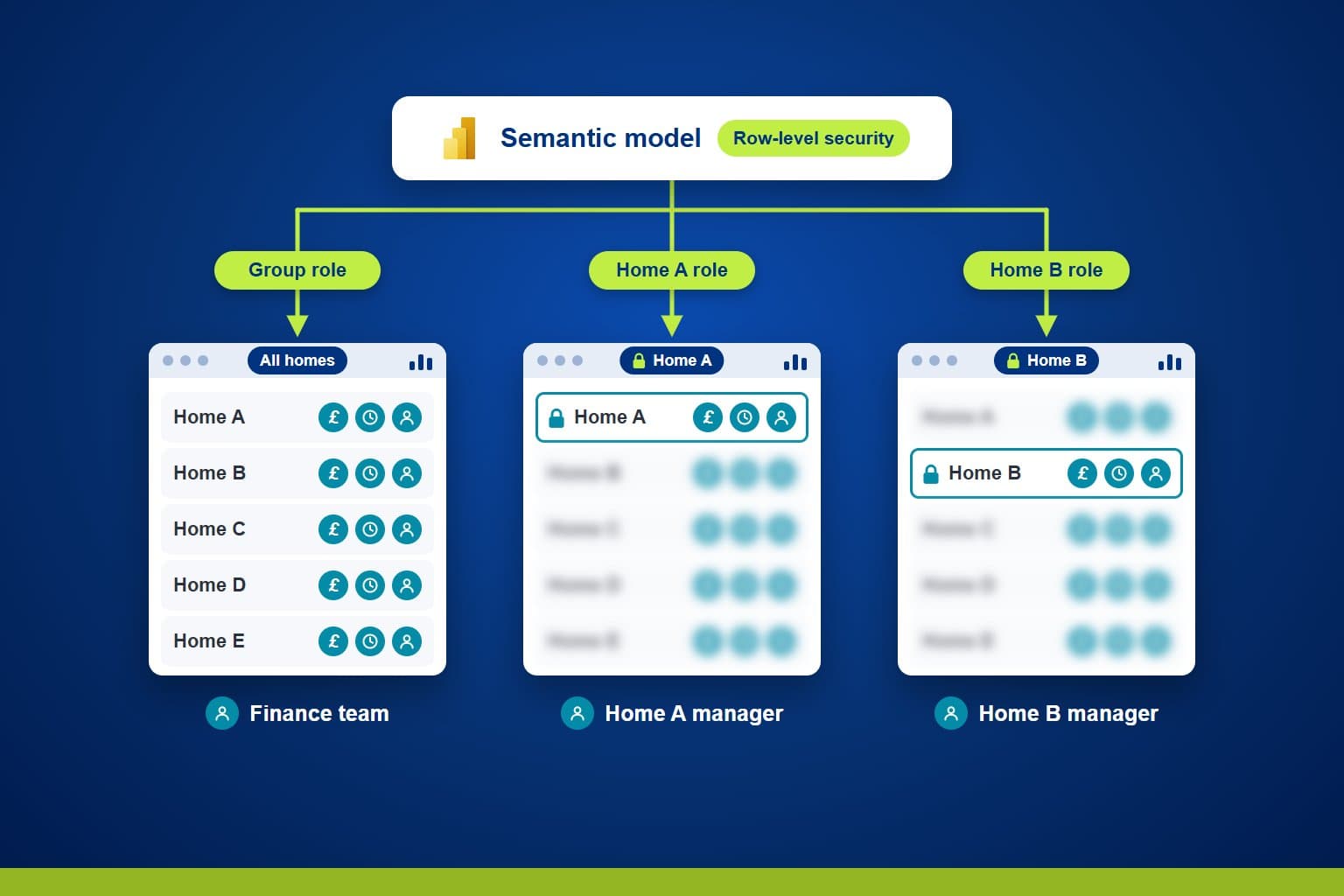
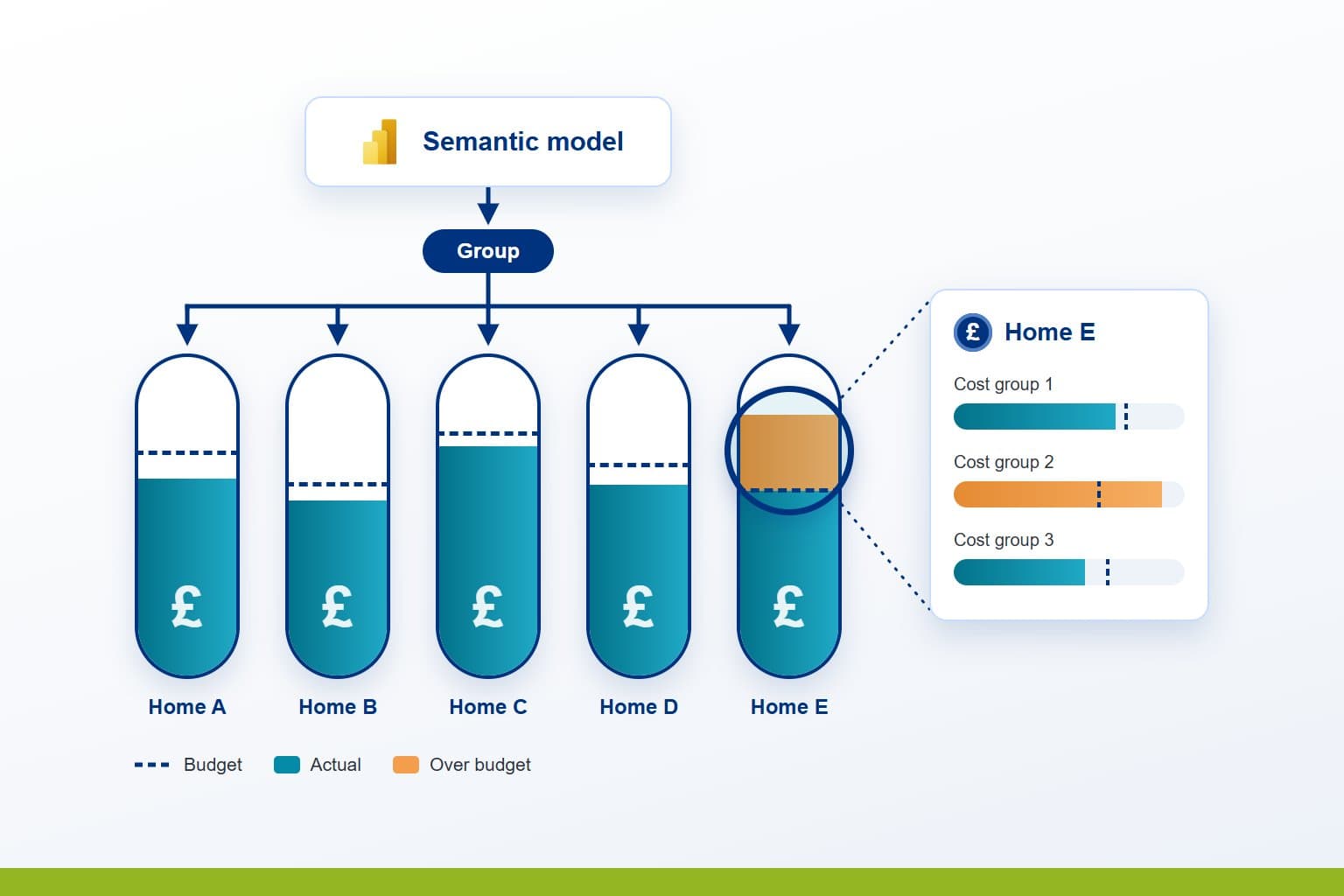
Adult social care providers that run several homes often share one set of reports across the group, while each home manager should see only their own home. PTR can build row-level security into a Power BI semantic model, so every report shows each person the homes they are responsible for, and no others.
The Challenge: one set of reports, many homes
Finance needs every home in view, while a home manager needs only their own, and the data covers money, staff hours and the people you support. Without security in the model, the choice is a poor one: give everyone everything, or keep a copy of each report for each home. Copies drift apart, and every new report has to be copied again.
Teams need to be able to:
- Share one set of reports across the whole group
- Show each home manager their own home, and finance every home
- Apply the same rules to finance, staff hours and records about the people you support
- Change who sees what without rebuilding a report
- Check what each person will see before the reports go out
What PTR can build: security inside the model
We can build row-level security into the Power BI semantic model your reports already use. Each role is a rule on the home table, such as one home or every home. Through the model's relationships, that rule then filters the finance, staff hours and records that belong to those homes.
Because the rules live in the model, every report built on it applies them, including reports written next year. People are added to roles in the Power BI service, one by one or through security groups, so a change of manager is a change of membership, not of report.
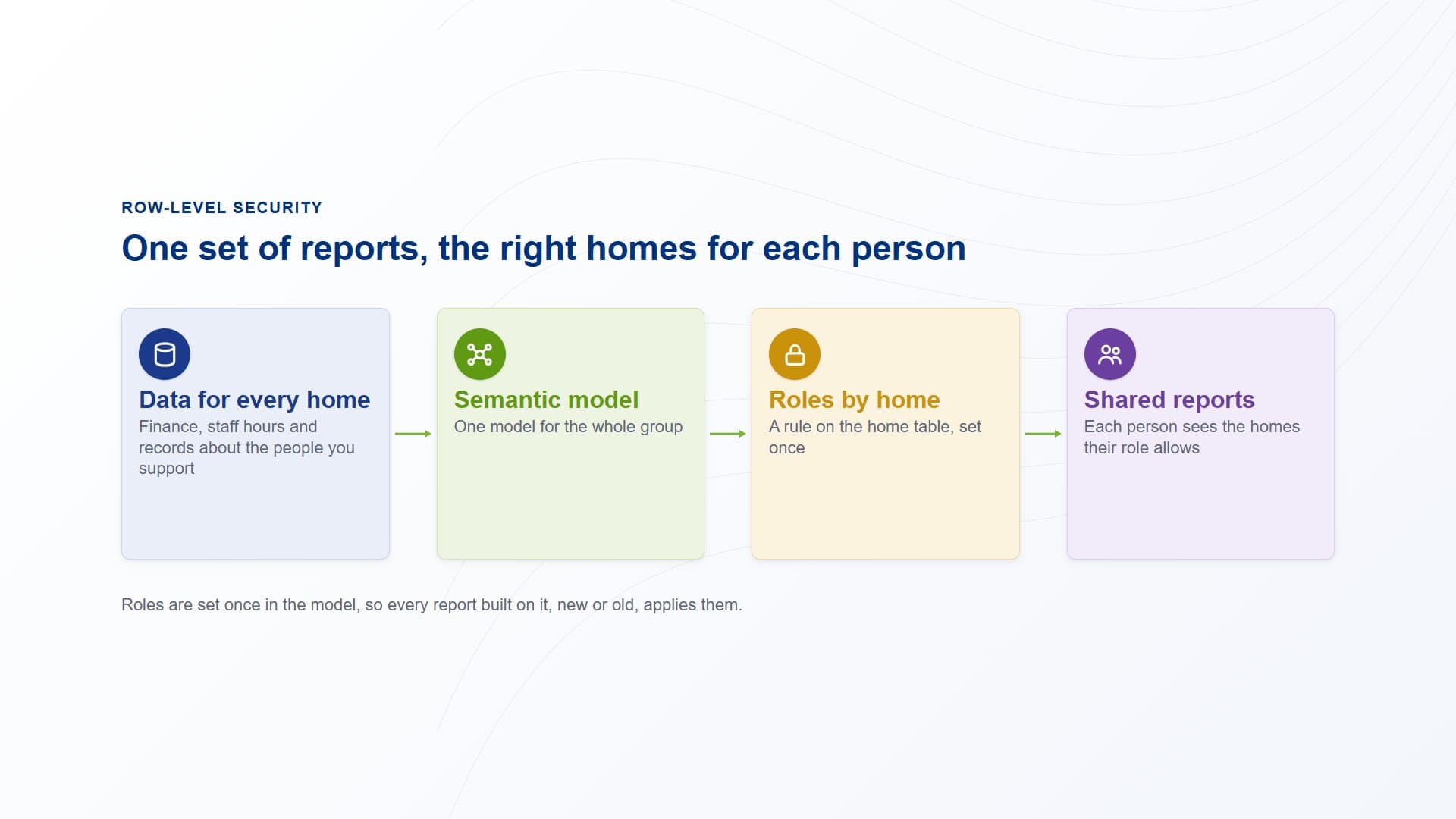
Data for every home sits in one semantic model. Roles by home filter it, so each person who opens the shared reports sees only the homes their role allows.
How PTR builds it: from who sees what to rollout
Agree who sees what
We work with you on an access map: which people or teams see which homes, and who sees the whole group. The roles are built to that map, so each one has an owner who can confirm it is right.
Write the roles into the model
In Power BI Desktop we define each role as a DAX filter on the home table. We check the relationships so the filter reaches every table it should, because security filters travel only along active relationships.
Assign people and share the reports
We publish the model and add people or security groups to each role in the Power BI service. Readers are given Viewer access, because row-level security applies to viewers, not to those who edit the workspace.
Test each role before rollout
We view the reports as each role, in Power BI Desktop and in the service, and check that each shows the homes it should and no others. Only then do the reports go out to the homes.
What it gives your teams: the right homes for each person
- One set of reports:the whole group works from the same reports, with no copy kept for each home.
- Each manager sees their own home:finance, staff hours and records are filtered to the homes their role allows.
- Rules that reach every report:security is set once in the model, so new reports apply it from the start.
- Access that is easy to change:when a manager moves home, their role or group changes, and no report is touched.
In practice, a home manager and the finance team open the same report. The manager sees their own home and finance sees the group, from one model with one set of rules.
Our view: who sees what belongs in the model, not in the reports. Set it once there, test it, and every report across your homes keeps to it.
Give each home its own view of the data
Stop keeping a copy of every report for every home. Talk to us about row-level security in Power BI for your homes. PTR provides consultancy, training and support in Power BI, DAX and data modelling.
Call 0118 979 4000 or Email info@ptr.co.uk.
Related Articles
Frequently Asked Questions
Couldn’t find the answer you were looking for? Feel free to reach out to us! Our team of experts is here to help.
Contact Us