
Tech Tips
Power BI to Microsoft Fabric Migration: The Risks Leaders Need to Plan For
A practical guide to the architectural, financial, governance, and organisational risks that can undermine a Fabric migration if they are not addressed early.

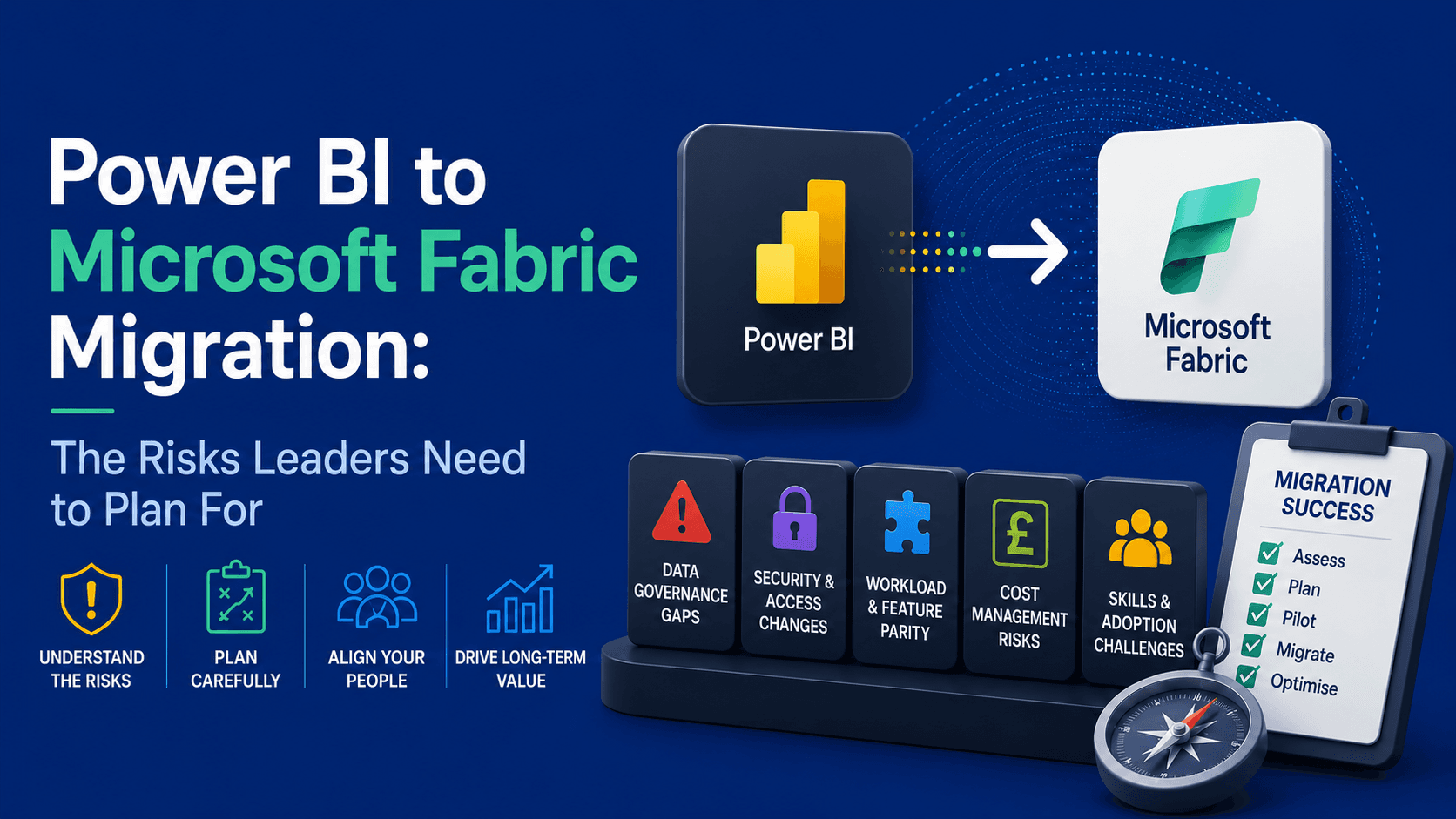
A practical guide to the architectural, financial, governance, and organisational risks that can undermine a Fabric migration if they are not addressed early.
For many organisations, migrating from established Power BI solutions to Microsoft Fabric is now firmly on the agenda. The drivers are clear: a more unified data platform, modern architectural patterns, and the opportunity to consolidate analytics, engineering, and storage into a single environment. Yet the move is not a simple platform swap. It changes how workloads are designed, secured, governed, and funded, which means a poorly planned migration can introduce risk as quickly as it delivers benefits.
The most common challenges fall into four areas:
- Architectural Evolution and Technical Debt
- Capacity and Cost Management
- Governance and Security Chaos
- Skill Gaps and Change Management
Because Fabric introduces a different operating model from Power BI, the safest route is usually to begin with a proof of concept or phased migration. Starting with a limited set of business domains or workloads allows teams to validate architecture, capacity, governance, and licensing decisions before expanding more widely.
1. Architecture and Technical Debt
One of the biggest migration risks is assuming that a successful Power BI solution will perform equally well in Microsoft Fabric without redesign. This is where technical debt becomes critical. Technical debt accumulates when short-term design decisions, quick fixes, or under-engineered solutions remain in place long after they were useful. Over time, those compromises can increase cost, reduce performance, and make change more difficult.
Intentional Technical Debt
Some technical debt is deliberate. A business may accept a temporary workaround to meet a deadline, knowing that it will need to be addressed properly later. That can be a rational decision, but it should still be recognised as a future cost rather than mistaken for a long-term design.
Accidental or Evolutionary Debt
More often, technical debt appears during migration through a lift-and-shift mindset. Solutions that were acceptable in Power BI can become inefficient in Fabric because the underlying architecture is different. Capacity, storage, and workload interaction all behave differently, so legacy design choices may need to be reworked rather than simply moved.
Common sources of accidental technical debt include:
- Increased processing resource requirements
- Increased storage requirements
- DirectQuery mode requirements for legacy data models
In Power BI Premium, workloads are more isolated. A poorly performing dataflow, for example, is less likely to affect datasets or reports in the same way because workload types are more distinctly separated. Power BI is also typically only one layer in the wider analytics stack, rather than the platform hosting the full end-to-end data estate.
Fabric changes this model. It brings data engineering, warehousing, orchestration, notebooks, data science, and Power BI into one integrated environment, with compute shared across workloads. That creates major opportunities for simplification and consolidation, but it also means inefficient workloads can affect a much broader set of services.
This is particularly important for organisations migrating complex dataflows or heavily optimised semantic models without review. In Fabric, resource-intensive workloads can consume a disproportionate share of the available capacity. If usage remains high over time, the platform may begin to smooth and throttle compute consumption at the capacity level, which can degrade performance for other workloads sharing the same capacity. Without re-engineering, organisations may find themselves increasing capacity purely to compensate for inherited inefficiencies rather than genuine growth.
The distinction between legacy Power BI Premium and Microsoft Fabric is particularly clear when you compare how capacity is managed:
Feature | Legacy Power BI Premium | Microsoft Fabric |
Resource model | Workloads are more isolated, so issues in one area are less likely to affect others directly. | Compute is shared across multiple workload types within the same capacity. |
Performance protection | Pressure is generally contained more locally to the affected workload. | Bursting and smoothing can hide short-term spikes, but sustained overuse may lead to throttling at the capacity level. |
Commercial model | Capacity costs are typically easier to predict, with fewer platform-wide interactions to model. | Compute and storage planning are more closely linked, and total cost depends heavily on workload design and usage patterns. |
In practice, code and models that were merely inefficient in Power BI can become materially more expensive or operationally fragile in Fabric if they are migrated unchanged.
Fabric’s bursting and smoothing behaviour can also make issues less visible at first. A solution may appear stable under light or intermittent demand, only to show performance degradation later when multiple background and interactive workloads are competing for the same pool of compute. Monitoring usage patterns early is therefore essential.
That said, the shared model is not inherently a disadvantage. For many organisations, it can be more efficient to run multiple workload types on one well-governed capacity than to maintain separate platforms each sized for peak demand. The benefit depends on thoughtful design, balanced scheduling, and realistic sizing.
Storage is another important design consideration. In Fabric, storage in OneLake is billed separately from compute, so organisations need to understand not only workload execution patterns but also how much data they will retain, duplicate, cache, or expose through shortcuts and mirrored assets. Larger models and broader retention policies can therefore introduce cost in ways that may not have been as visible in earlier Power BI deployments.
Finally, model design still matters. Direct Lake can deliver strong performance, but some legacy model patterns or security designs may lead teams to use alternative access patterns that are less efficient or more complex to govern. A migration should therefore assess not just whether a model works in Fabric, but whether it is using the most appropriate access mode for performance, security, and maintainability.
2. Capacity, Licensing, and Cost
Migration to Microsoft Fabric also requires a different financial mindset. Power BI licensing is often relatively predictable, whereas Fabric introduces a capacity-based model in which compute and storage need to be planned together. That does not necessarily mean higher cost, but it does mean cost behaves differently and needs more active oversight.
Subscription Options
Fabric offers two broad compute purchasing models:
- Pay-As-You-Go Capacity
- Pay by the minute
- Capacity can be paused
- Reserved Capacity
- 1 year or 3 year upfront commitment
- Capacity cannot be paused
In addition to compute, organisations also need to account for storage-related costs in OneLake:
- OneLake Storage Costs
- Pay per Gigabyte
- Additional charges for disaster recovery, high speed caching, moving data out of a Fabric region
A major planning risk lies in the fact that all Fabric workloads draw from the same pool of Capacity Units. This means the question is no longer simply whether a single report or pipeline performs well, but whether the total workload mix can coexist without contention. Background processing and interactive consumption both compete for the same capacity, so poor scheduling or uneven workload design can force unnecessary upgrades to higher tiers.
- All workloads share the same capacity (a pool of Capacity Units (CUs)
- Data Factory Pipelines
- Spark Notebooks
- Data Warehouses
- Data Science
- Realtime Intelligence
- Dataflows
- Reports
- Data Engineering
- Background and interactive (user) operations share the same capacity pool
This is a significant change from environments where reporting, warehousing, orchestration, and data engineering may have been funded or scaled separately. Once those functions sit inside a single Fabric capacity, their interactions become an architectural and financial consideration rather than just a technical one.
Microsoft Free Viewer Threshold
Licensing for report consumers also needs careful attention. In smaller capacities, viewer licensing can still influence total cost, so organisations should not assess compute sizing in isolation.
Under earlier Power BI capacity models, broad report consumption could be supported without licensing every viewer individually, while creators still required the appropriate authoring licences.
In Fabric, the threshold at which users can consume content without additional Power BI Pro or Premium Per User licensing remains commercially important. For many organisations, the decision between a lower and higher Fabric capacity is therefore not only about compute demand, but also about the downstream effect on user licensing.
A lower capacity may appear cheaper on paper, but once viewer licensing is added it can become the more expensive option overall. Capacity planning should therefore evaluate compute, storage, and audience size together rather than treating them as separate decisions.
Subscription Financial Plan
A common approach is to begin migration on a pay-as-you-go basis during the early phases. This gives teams time to observe real usage patterns, understand peaks, and test how workloads behave under production-like conditions.
Once the workload profile is better understood and major inefficiencies have been addressed, it becomes easier to decide whether a reserved model or a larger fixed baseline is financially justified. In other words, migration planning should include a financial transition plan, not just a technical one.
3. Governance and Security
Governance and security become more important, not less, when moving from Power BI to Microsoft Fabric. Power BI is often used primarily as a reporting layer, whereas Fabric is an end-to-end platform that can expose data through multiple tools, engines, and experiences.
Even if an organisation intends to use only a subset of Fabric capabilities, enabling the platform can still widen the possible routes through which users access data. Unless governance is designed deliberately, teams can unintentionally expose raw data, over-privilege workspaces, or allow unmanaged data sharing patterns to emerge.
That is why governance should be treated as a prerequisite for migration rather than a later optimisation. Security, workspace design, shortcut usage, and AI controls all need attention before workloads are scaled into production.
If governance is not addressed early, migration can create a platform that is harder to control, harder to audit, and harder to secure than the one it replaces.
Five governance areas deserve particular focus:
Security beyond the reporting layer
Workspace over-privilege
OneLake shortcut sprawl
Direct Lake identity and impersonation
Generative AI and Copilot exposure
These issues can arise even where an organisation already has a well-controlled Power BI estate, because Fabric introduces new access paths and new operational patterns that did not previously exist.
Security beyond the reporting layer
In many Power BI solutions, security is enforced mainly at the semantic model layer through row-level or column-level controls. That approach works well when reports are the primary route through which users consume data.
Fabric expands the picture. Users may be able to reach the same data through SQL endpoints, notebooks, Spark, or AI-assisted experiences as well as through Power BI. If security is only applied in the reporting layer, there is a risk that users with broader platform access can bypass those controls and reach underlying data directly.
- SQL endpoints
- Python notebooks
- Spark
- Power BI
That does not mean Fabric is less secure; it means security has to move closer to the data itself. If permissions are not aligned correctly, users may gain access to data outside the intended reporting experience, including information that is sensitive, raw, or not yet curated for business consumption.
Fabric’s OneLake security model is designed to help address this by applying access control at the data layer, with policies that can be enforced across experiences rather than only within a single report.
The practical implication is clear: migration should be accompanied by a bottom-up security design that protects data consistently, regardless of whether users access it through dashboards, SQL, notebooks, or AI tooling.
Before migrating to Fabric at scale, organisations should review whether their security model protects the data itself, not only the reports built on top of it.
Workspace over-privilege
In Power BI, a workspace typically contains reports, semantic models, dataflows, and apps, while the underlying data platform usually lives elsewhere. Permissions granted in the workspace therefore have a more limited operational impact.
In Fabric, workspaces can contain not only reporting assets but also lakehouses, warehouses, pipelines, notebooks, and other core platform components. As a result, workspace permissions can carry much greater significance.
A permission level that felt relatively low-risk in Power BI can have wider consequences in Fabric. Granting contributor-style access in the wrong workspace may allow users to modify or remove assets that are foundational to the wider solution.
This is why workspace architecture matters. If development assets, curated data layers, and production consumption artefacts are grouped without clear separation, the wrong permission assignment can create unnecessary operational and security risk.
Well-designed workspace boundaries are essential in Fabric, both to protect core assets and to ensure teams receive only the level of access they genuinely need.
OneLake shortcut sprawl
OneLake shortcuts are one of Fabric’s most useful features because they can reduce data duplication and simplify access across domains, storage accounts, and platforms. Used well, they support a more virtualised and efficient architecture.
The challenge is governance. Because shortcuts act as pointers rather than copies, they can make data available in places that are not always obvious to the teams managing the original source. If shortcut creation is loosely controlled, the result can be reduced visibility over lineage, ownership, and effective access.
This is particularly important where users have write permissions or where shortcuts span environments, business domains, or external sources. The architectural benefit of virtualisation can quickly be undermined if shortcut usage is undocumented or poorly governed.
A migration programme should therefore decide early who can create shortcuts, where they are allowed, and how they will be tracked. Otherwise, data access can become difficult to audit and even harder to explain.
If shortcuts are part of the target design, they should be governed as a deliberate architectural pattern rather than allowed to emerge informally.
Direct Lake identity and impersonation
Identity handling is another area where assumptions from Power BI can cause problems. In earlier models, security could often be understood primarily in terms of report access and underlying database permissions. In Fabric, the effective identity used to read OneLake data can vary depending on how the semantic model is configured.
By default, Direct Lake uses single sign-on and evaluates access using the current user’s identity, but models can also be bound to fixed identities depending on configuration. That distinction matters because it changes where access is enforced and how consistently permissions apply across tools. Organisations should understand these modes before migrating security-sensitive workloads.
Feature | User identity / SSO | Fixed or delegated identity |
Effective identity | The signed-in user is evaluated when accessing OneLake data. | Access is evaluated using a configured identity rather than the individual viewer. |
Primary control point | Best aligned to OneLake security and data-layer governance. | Can align with existing connection or engine-based security patterns. |
Best suited to | Organisations seeking consistent, user-aware access control across Fabric experiences. | Scenarios that require a fixed execution identity or specific compatibility patterns. |
When migrating DirectQuery or Direct Lake solutions, identity configuration should be reviewed explicitly so that the chosen model aligns with the organisation’s intended security boundary.
Generative AI and Copilot exposure
Fabric also broadens the role of AI in the analytics estate. Capabilities such as Copilot and AI-assisted experiences can help teams move faster, but they also introduce new governance questions. The issue is rarely AI itself; it is whether the underlying data permissions, monitoring, and policy controls are mature enough to support it safely.
Four practical governance concerns tend to arise most often:
- Accidental Internal Data Leaks
- Unauthorised Shadow AI Applications
- Prompt-Driven Prompt Injection
- Compliance Violations
Microsoft Purview can be used in conjunction with Microsoft Fabric to manage AI safety.
Accidental Internal Data Leaks
The first is unintended internal exposure. If users receive access to lakehouse data through workspace roles or poorly controlled permissions, AI-enabled experiences may surface information more broadly than expected, especially when raw or sensitive data sits close to curated business assets.
This risk reinforces the need for clear separation of duties, least-privilege access, and data-layer security before AI features are enabled widely.
AI adoption should follow strong security controls, not run ahead of them.
Unauthorised Shadow AI Applications
The second concern is shadow AI. Fabric makes it easier for technically capable users to work directly with data through notebooks and code-based tooling. Without guardrails, this can lead to unofficial or poorly governed AI solutions being developed outside formal oversight.
Organisations should define who can build AI-enabled solutions, where they can be developed, and how those solutions will be reviewed.
Prompt-Driven Prompt Injection
A third concern is prompt injection and unsafe automation. As AI tools are increasingly connected to code, queries, and orchestration logic, poorly controlled prompts or integrations may trigger actions that were never intended. The exact risk profile will vary by implementation, but the governance principle is the same: AI interactions should be constrained, monitored, and tested like any other production interface.
As AI capabilities expand across the platform, organisations should assume that prompts, assistants, and automation features can influence real system behaviour. That makes testing, approval workflows, and operational guardrails essential, particularly where AI interactions can trigger scripts, queries, or data movement.
AI should be treated as an additional execution surface, not simply as a convenience feature.
Compliance Violations
The final concern is compliance. Organisations operating under regulatory obligations need to understand how AI-enabled workflows interact with data residency, retention, classification, and access policies.
Tools such as Microsoft Purview can help strengthen governance, but they do not remove the need for policy decisions, impact assessments, and clear operating rules before AI features are used with sensitive information.
AI governance should be built into the migration plan, particularly where regulated or sensitive data is involved.
4. Skills, Roles, and Change Management
The final risk category is organisational rather than technical. Moving to Fabric changes not only the platform but also the skills, responsibilities, and ways of working required to operate it successfully.
Skills gap
Power BI teams are often strongest in report design, semantic modelling, DAX, and Power Query. Those skills remain important in Fabric, but they are no longer sufficient on their own.
Fabric is a broader platform, so organisations may also need stronger capabilities in areas such as SQL, Python, Spark, orchestration, lakehouse design, platform governance, and capacity management. The exact mix will vary by target architecture, but the overall shift is clear: the centre of gravity moves from report delivery towards platform thinking.
- DAX
- Power Query M code
- Dashboard design
- Apache Spark
- Python
- SQL
- Lakehouse Design
- Orchestration Design
Some organisations already have these capabilities in data engineering or platform teams. Others will need to invest in training, new roles, or external support if they want to realise Fabric’s potential without creating dependency or operational risk.
There is also a broader responsibility shift:
Upstream architecture accountability
Because Fabric runs on shared capacity, teams building semantic models, pipelines, notebooks, and reports need to understand the wider operational impact of their choices. Design decisions that once felt local to a reporting team can now influence performance and cost across the broader platform.
That means organisations need clearer definitions of ownership: who governs shared data, who manages capacities, who builds pipelines, and where the boundaries sit between analyst, engineer, administrator, and product owner responsibilities.
Change Management
Change management is just as important as technical delivery. Fabric brings business users and platform teams closer together, which can create friction if expectations, controls, and ways of working are not aligned from the outset.
Leaders may need to adapt to a cost model that is less familiar, while business users may encounter tighter controls than they were used to in self-service Power BI environments. That can feel restrictive unless the rationale is clearly explained and supported by practical guidance.
There may also be cultural adjustments. Shared workspaces, shared data assets, and shared capacity require more coordination between technical teams and business-facing analysts. Differences in deployment practices, source control discipline, and release management can become more visible once those teams are working inside the same platform.
Successful adoption therefore depends on more than training alone. It requires role clarity, operating standards, and governance policies that help people collaborate effectively without compromising agility or control.
If organisations want Fabric to support both innovation and governance, they need clear frameworks for data ownership, environment management, and shared platform responsibilities.
For organisations considering the move, the priority should not be to migrate everything quickly. It should be to define the target operating model, test assumptions early, and expand only when architecture, governance, and cost controls are working as intended.
Conclusion
Migrating from Power BI to Microsoft Fabric is not simply a technical migration. It is a shift from a largely report-centric platform to a broader operating model in which analytics, storage, engineering, orchestration, and governance are more tightly connected.
That shift creates real opportunity, but it also raises the stakes. Legacy technical debt can become more visible in a shared-capacity environment, cost planning becomes more dynamic, and governance must extend beyond the reporting layer to the data platform itself. Organisations also need to decide how they will control shortcuts, workspace permissions, identity models, and AI-enabled access patterns as Fabric adoption grows.
The most successful migrations are therefore phased, deliberate, and governance-led. They assess architecture before lifting and shifting, validate capacity and licensing decisions early, and invest in the skills and operating model needed to make Fabric sustainable over the long term.
How Can PTR Help?
Navigating the shift from a report-centric Power BI setup to an end-to-end Microsoft Fabric estate requires careful, strategic oversight. PTR provides the expert consultancy and structured guidance needed to mitigate architectural, financial, and governance risks, ensuring a seamless transition that delivers long-term value
PTR can accelerate and secure your transition to Microsoft Fabric through a comprehensive suite of migration services. We audit your existing Power BI assets to remove technical debt, model your workloads to select the most cost-effective capacity tier, and establish robust OneLake governance frameworks to protect your data.
Additionally, we implement secure guardrails for AI and Copilot adoption via Microsoft Purview while upskilling your report-delivery teams in advanced platform capabilities like SQL, Python, Spark, and Lakehouse design.
With our Fabric Consultancy expertise, and collaborative and mentoring style of consultancy and scheduled and tailored Fabric training we can hold your hand from start to finish.
MD
Mandy Doward
Managing Director
PTR’s owner and Managing Director is a Microsoft certified Business Intelligence (BI) Consultant, with over 35 years of experience working with data analytics and BI.
Frequently Asked Questions
Couldn’t find the answer you were looking for? Feel free to reach out to us! Our team of experts is here to help.
Contact Us