
Tech Tips
The Spreadsheet Everyone Relies On and Nobody Dares Touch
Excel and VBA models run finance, operations and planning in every sector, until audit questions or a key person leaving expose the cracks. See the pain points and how PTR uses Azure SQL, Power Apps, Fabric and Power BI to fix them.

Published

A new managing director asks how a particular figure in the monthly pricing model was calculated. The answer involves a macro that nobody has opened for years and a colleague who is on holiday until Monday. Everything adds up, as it always has, but nobody in the room can show why.
Excel and VBA sit behind a lot of everyday business. They run the stock forecasts in a distributor, the costing in a manufacturer, the grant tracking in a charity, the budget consolidation in a council and the commission calculations in a sales team. They nearly always start out sensibly. Think of a classic car that has been kept running for years by one trusted mechanic. It still gets you to work every day, and he knows exactly which noise means what. But it was never built for the loads it carries now, and the day he takes a week off, everyone realises how much lives in his head.
Where spreadsheet models start to strain
The monthly close, the quarterly forecast or the weekly planning run takes longer than it used to, with extra time built in to re-check totals. A new starter needs a long handover just to learn which cells to leave alone, and then a question arrives from an auditor, a regulator, a funder or a new finance director that nobody can answer quickly, much as an MOT tester might ask what a part is doing when only the mechanic knows.
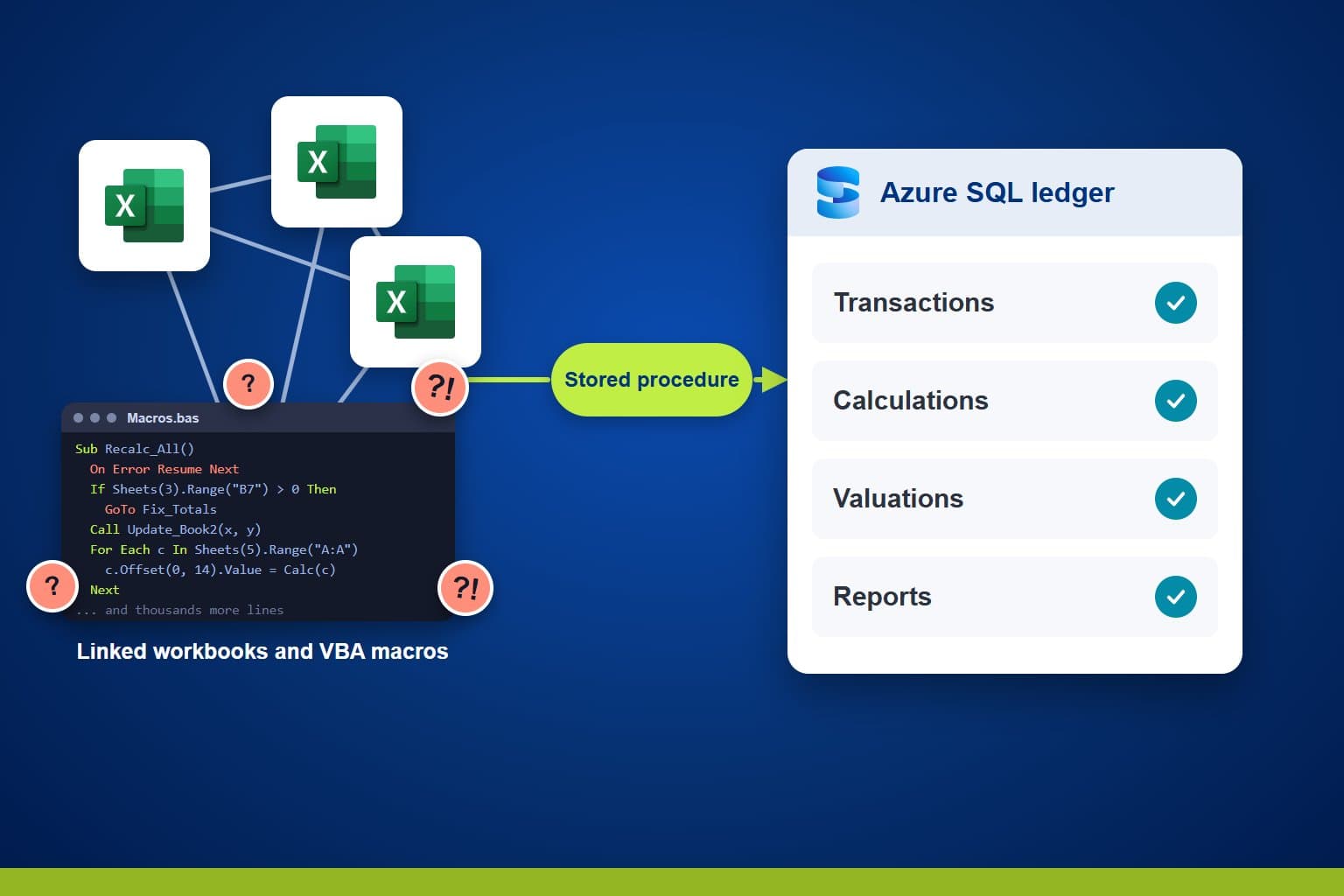
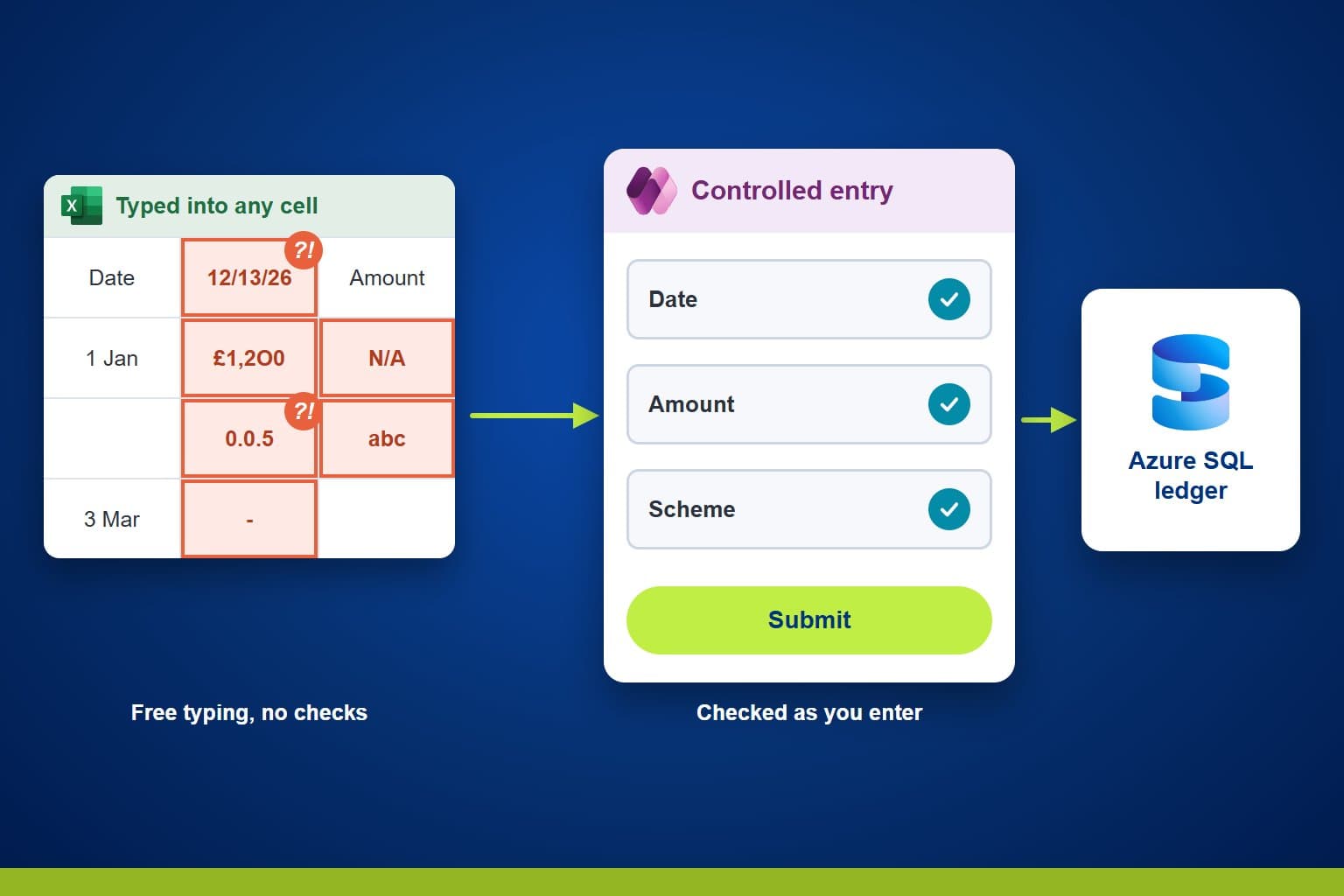
Underneath, the causes are usually the same whatever the sector. Knowledge of how the model works rests with one or two people, and the creator is often the only one who has it. A week of leave or an out-of-office reply slows everything down, and if they leave the business, all of that knowledge goes with them. Mistakes made when data is typed in are found late, often when a report refuses to add up. Changes feel risky, so useful improvements wait in a queue. Growing volumes and reporting demands then push on a set of workbooks that was never designed to carry them.
Why fixing it keeps slipping down the list
Most teams know the spreadsheet needs attention. The work keeps slipping because the car is the daily driver, and nobody can afford to take it off the road for months. The business cannot pause while it changes, and the numbers have to stay right. Anyone who has lived through an overrunning IT project is wary of starting another. Many teams put it off until a key person leaves or an audit raises a finding, and the fix then has to be done in a hurry.
Where to read the detail
We have covered the practical detail in separate articles, so this one does not repeat it. Both describe a financial ledger, but the same approach applies wherever Excel and VBA hold the logic a business depends on.
Move ledgers from Excel and VBA to Azure SQL covers moving the data and the calculations into a governed database.
Replace spreadsheet data entry with controlled Power Apps forms covers how people put information in.
Where Azure and Fabric each fit
Microsoft offers two homes for the database that replaces the spreadsheet, and Fabric also covers the reporting that sits on top. Many organisations end up using both.
Azure SQL Database suits the part of the spreadsheet that records transactions and applies rules. It gives you one governed home for the data, with the calculations held in stored procedures that can be read, tested and audited. Power Apps forms then check each entry as it is made. SQL database in Fabric is built on the same engine, so the stored-procedure approach carries across, and the same data can live there instead.
The choice depends on how the data will be used. Azure SQL Database suits teams that want to size and configure the database themselves, and mirroring can bring a near real-time copy into OneLake without a new pipeline to build and maintain. SQL database in Fabric keeps everything in one place: it scales itself, and its data is automatically mirrored into OneLake, ready for Power BI and notebooks. Where the work is mostly analysis with little transactional entry, Fabric on its own may be enough.
Whichever home you choose, Power BI sits inside Fabric for the reports. Shortcuts let Fabric read data you already hold elsewhere without copying it, and Dataflows Gen2 can bring in the Excel files that are not ready to retire yet.
Our article on what Fabric actually asks you to change explains why you can adopt it one piece at a time, and our piece on when to move your reporting from Excel to Power BI is a good next read if reporting is the sorest point.
Why PTR is well placed to help
This kind of project needs people who understand the data platform, the application people use every day and the business teams that depend on both. We have been a family business for over 35 years, working with data and teaching others to use it, and we hold Microsoft Solutions Partner status for Azure and Data & AI. We are vendor independent, and much of our work comes from customers who come back to us.
Our approach combines consultancy and training, so the people who build the solution also help your team learn to run it. Azure SQL, Power Platform, Fabric and Power BI are all part of what we advise on, deliver and teach, which means one team can take you from workbooks to a governed platform and prepare your staff to look after it afterwards. We also hold Cyber Essentials certification, which matters whenever the data is sensitive.
Talk to us about your spreadsheets
Book a free initial conversation with one of our consultants. We will listen to how your spreadsheets and macros work today, tell you where we see the biggest risks, and suggest a sensible first step. Call 0118 979 4000 or email info@ptr.co.uk, or visit our consultancy services page.
MD
Mandy Doward
Managing Director
PTR’s owner and Managing Director is a Microsoft certified Business Intelligence (BI) Consultant, with over 35 years of experience working with data analytics and BI.
Frequently Asked Questions
Couldn’t find the answer you were looking for? Feel free to reach out to us! Our team of experts is here to help.
Contact Us