
Use Cases
Fabric database mirroring for manufacturers
How PTR can mirror on-premises SQL Server and Oracle databases into Microsoft Fabric for manufacturers, so every table is ready to query without ingestion code to maintain.

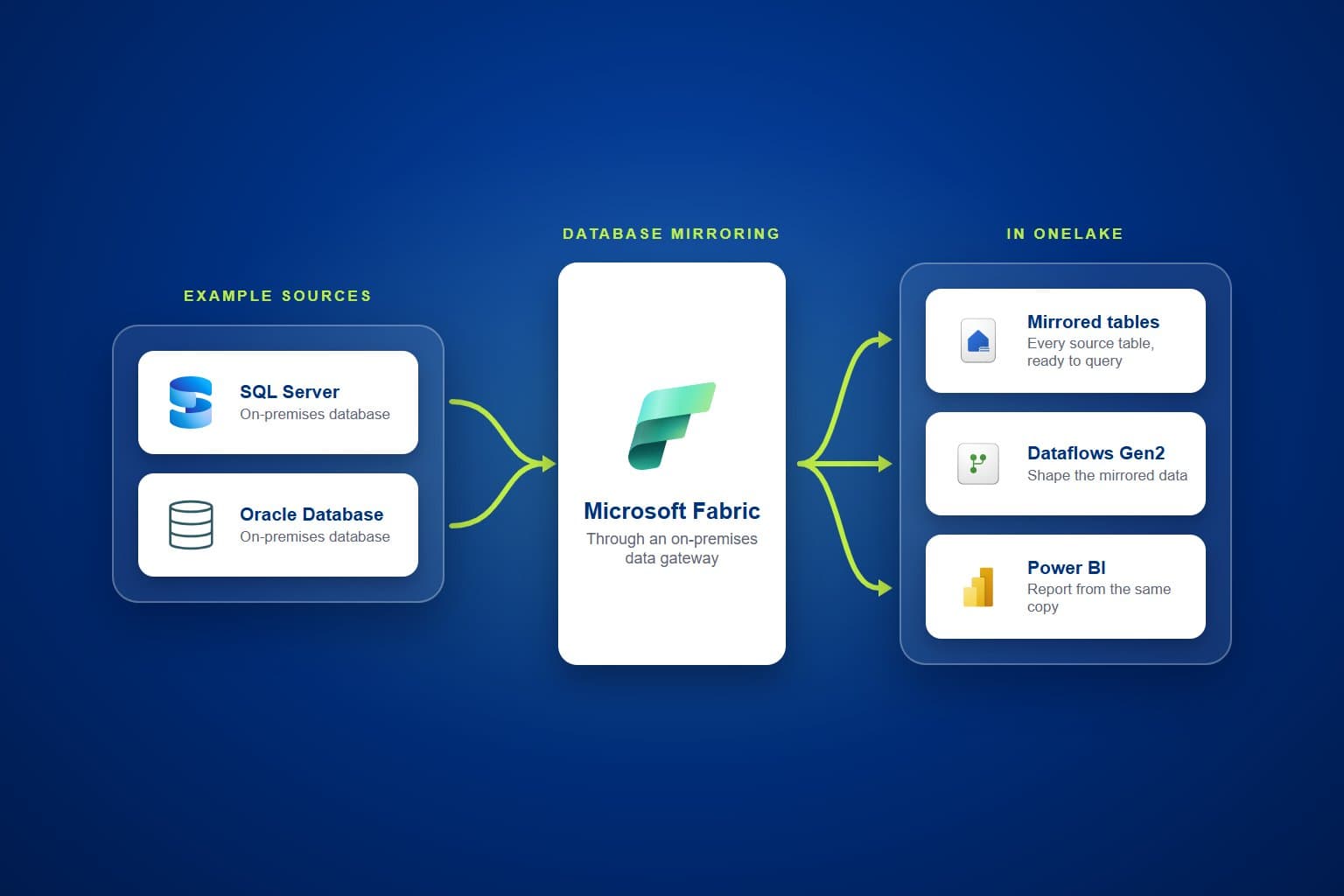
Manufacturers often run day-to-day operations across several on-premises databases, and getting that data into Microsoft Fabric usually means writing and maintaining ingestion code. PTR can set up database mirroring instead, so the tables in your SQL Server and Oracle databases appear in Fabric, ready to query.
The Challenge: ingestion code someone has to maintain
Operational data in manufacturing tends to sit in on-premises systems, including Oracle and SQL Server databases. When a hand-built notebook or pipeline copies that data into Fabric, every new table means more code, and every failed run means someone has to find out why. Analysts wait for each table to be extracted before they can see what is there.
Teams need to be able to:
- See every table in their source databases from Fabric
- Query source data without an extract for each table
- Spend less time scheduling and monitoring ingestion
- Connect on-premises databases to Fabric securely
- Build reporting on the same copy of the data
What PTR can build: database mirroring in Fabric
We can set up database mirroring from your on-premises SQL Server and Oracle databases into Microsoft Fabric. Mirroring replicates the source tables into OneLake as a mirrored database, which can be queried directly inside a lakehouse. It takes the place of a hand-built ingestion notebook or pipeline, and it gives your teams immediate visibility of all the tables in each source, without further ingestion steps.
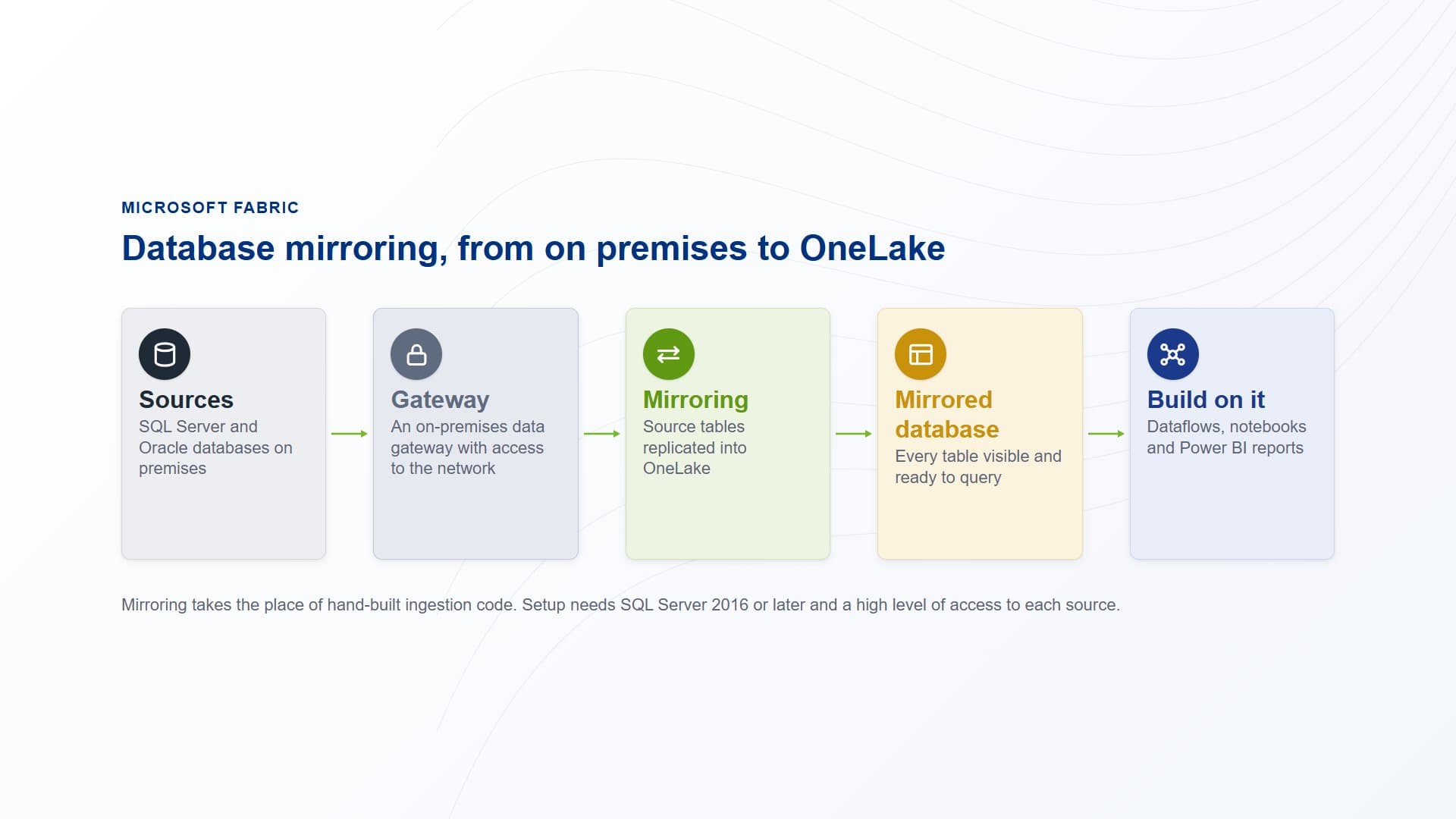
Source tables are mirrored through an on-premises data gateway into OneLake, ready for dataflows, notebooks and reports.
How PTR builds it: from source checks to mirrored tables
Check each source can be mirrored
Mirroring needs recent software releases, such as SQL Server 2016 or later, and a high level of access to each source for the initial setup. We start by confirming the version of each database and agreeing that access with the people who look after it.
Connect your network to Fabric
We install an on-premises data gateway on a machine with access to your network, so Fabric can reach your SQL Server and Oracle servers. The gateway is set up once and serves every mirrored source.
Mirror the tables you need
We set up mirroring for each required SQL Server and Oracle source, then retire the ingestion code it replaces once the mirrored tables are in use. Your teams can see and query every table in each source from the lakehouse.
What it gives your teams: source data ready to query
- Less code to maintain:mirroring takes the place of the notebooks or pipelines that copied data in, so there is less to build and less to fix.
- Every table in view:analysts can see all the tables in each source from Fabric, and query them directly inside a lakehouse.
- Little to orchestrate:beyond the initial setup, there is very little orchestration to manage and monitor.
- A base for what comes next:dataflows, notebooks and Power BI reports build on the mirrored tables rather than on copies of their own.
Our view: let Fabric do the ingestion. Where a source database can be mirrored, mirroring is less to build and less to look after than ingestion code, and your teams start with every table in view.
Query your on-premises data in Fabric
Stop writing and maintaining code just to copy your operational data into Fabric. Talk to us about mirroring your SQL Server and Oracle databases into Microsoft Fabric. PTR provides consultancy, training and support in Microsoft Fabric. Call 0118 979 4000 or email info@ptr.co.uk.
Frequently Asked Questions
Couldn’t find the answer you were looking for? Feel free to reach out to us! Our team of experts is here to help.
Contact Us