
Training
How to plan training around your 2027 data plan
Training booked too early is forgotten by go-live; training booked too late leaves people improvising. How to time training to each stage of your 2027 data plan, match it to each role, budget the time and check that it worked.

Published
When to train, who needs what and how to measure it
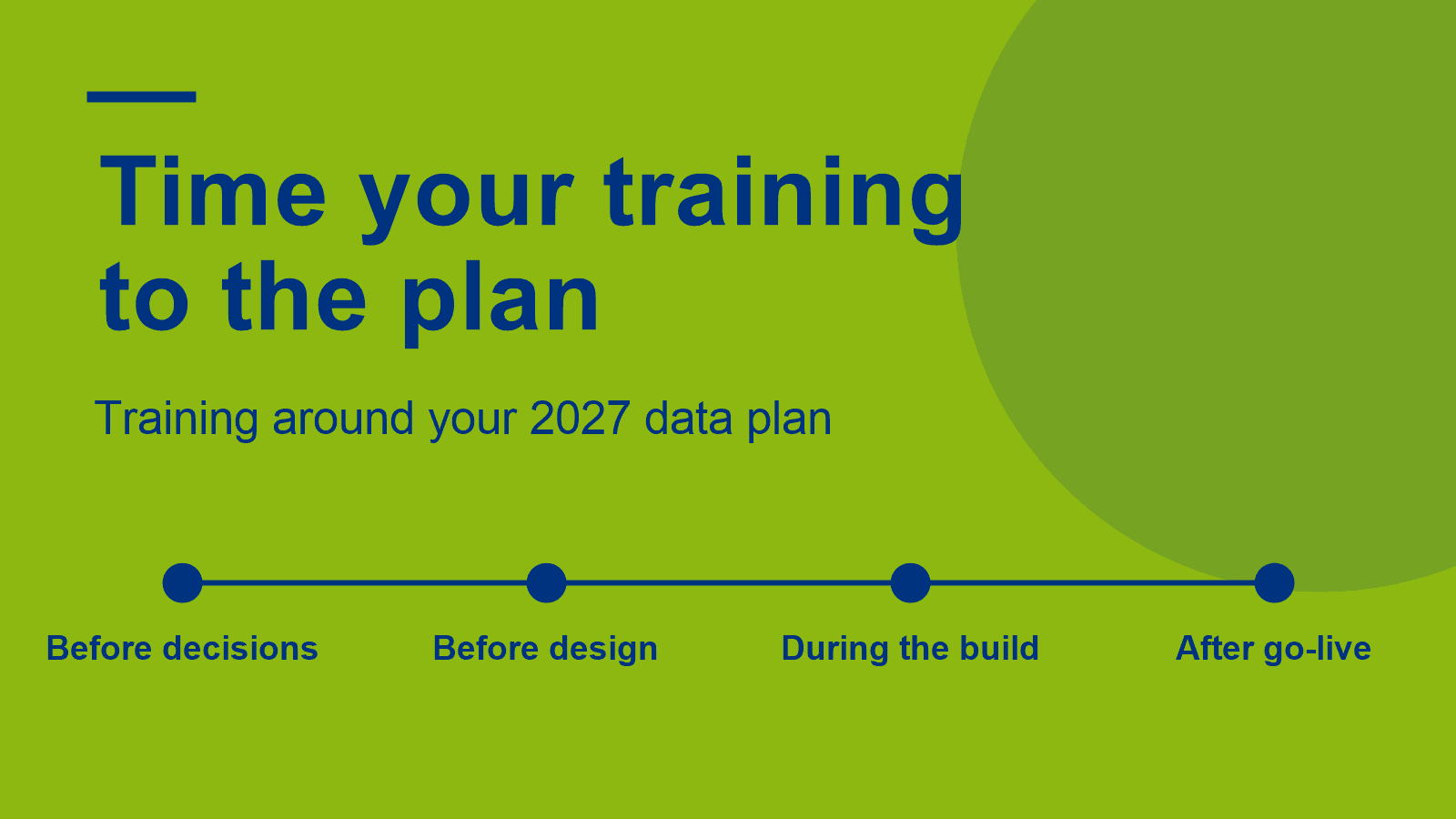
Training works best when it is timed to the stages of your data plan: a briefing for leaders before decisions, an overview for the people commissioning the work before design, role-based courses alongside the build, and clinics after go-live. Plan it by role, put the time in the project plan, and decide up front how you will tell whether it worked.
A team finishes a two-day course in March. The new platform goes live in September. By then most of what they learned has gone, and the first month of live reports is built from memory, videos and guesswork. A different team skips training until after go-live, and spends the first month undoing reports that were built the wrong way.
Learning a language before a move abroad works the same way. Start a year early and you forget most of it before you arrive. Start after you land and you struggle through the first months. The lessons that stick are the ones taken just before you need them, followed by practice once you are there.
Our earlier article, Which data skills does your team need for 2027?, covers what to learn: the four skills behind the 2027 data priorities and the training formats that build them. This article covers when and how to plan that training. If your organisation is still working out what data it holds and what to fix first, our consultancy team covers that in How to plan your data priorities for 2027.
Why should training follow the stages of your data plan?
Because skills fade if they are not used, and people improvise if they are not taught. Training timed to each stage of the plan means people learn what they need just before they need it, then practise it straight away on real work.
Culture matters as much as money here. Gartner's March 2026 survey of 223 data and analytics leaders found 60% citing cultural resistance as a key reason governance initiatives struggle, against 40% citing funding. Our skills article covers that research in more detail. The practical point for planning is that training is one of the few levers you control directly, so it belongs in the plan with its own dates and owner rather than being added at the end.
When should each group be trained?
Brief leaders before decisions, give the people commissioning the work an overview before design, train builders and report creators alongside the build, and support everyone with clinics after go-live. New starters catch up from recordings.
- Before decisions: a briefing for leaders. A short session on what the platform and the priorities mean for the business, so the people approving budget and owning priorities understand what they are signing up to.
- Before design: an overview for the people commissioning the work. IT managers, BI leads, project managers and business analysts need a map of the platform before a design is committed. For Microsoft Fabric, PTR's one-day Understanding Microsoft Fabric Data Platform course does this. It needs no specific technical skills.
- Alongside the build: role-based courses. Engineers, report creators and report users learn on the platform they will work with afterwards, ideally on a closed course using your own data. Closed courses can run as short sprints, so nobody is away for more than a day at a time.
- After go-live: clinics and follow-up. Bitesize workshops, user groups, clinics and a follow-up visit deal with the questions that only appear once people use the platform for real.
- Ongoing: recordings for new starters. Recorded sessions let people who join later catch up at their own pace.
This follows the brief, educate, train, mentor and nurture steps of PTR's Fabric training pathway, laid against your project timeline.
Who needs what?
Leaders need context, the people commissioning the work need a map, builders need depth, and business users need confidence with the reports they will use. Planning by role stops everyone sitting through the same course.
Group | What they need | Suggested format |
Leaders and priority owners | What the plan and platform mean for the business, and what they own | Short briefing |
IT managers, BI leads, project managers, analysts | A map of the platform and how its parts fit together | One-day overview, tailored to your plans |
Engineers and report creators | Hands-on skills on the platform they will build in | Closed or tailored course on your own data, run in sprints |
Report users across the business | Confidence reading and questioning the new reports, using agreed definitions | Bitesize workshops and clinics |
New starters | A catch-up on what the team already knows | Recordings, then clinics |
Tailored training lets you trim or extend a course so each group covers only what it needs. Bespoke training builds new material around your own systems.
How much time should you budget for training?
Count the people in each group, match each group to a format, and put the sessions into the project plan next to the build milestones they support. Budget for the clinics after go-live as well as the courses before it.
A few planning points help:
- Group sizes. We recommend eight delegates for closed and tailored courses and four for workshops. Larger briefings are negotiable.
- Time away. Sprints of a day at a time are easier to fit around project work than a full week.
- Location. Courses can run at your premises, at PTR's Wokingham training centre or online, so travel need not drive the timetable.
- Follow-up. Leave room after go-live for clinics and a follow-up visit. That is where most of the real questions arrive.
Contact PTR for dates and pricing.
How do you know the training worked?
Decide before training starts what will change, then check it a few weeks after go-live. Useful signs are reports that agree, fewer "which number is right?" questions, people using the agreed definitions, and steady use of the new reports.
- Reports that agree. If Finance and Sales now show the same figure for the same measure, the shared definitions have landed.
- Fewer support questions of the "which number is right?" kind.
- Use of the new reports. Power BI usage reports show whether people open what was built for them.
- Confidence. A short survey before and after training shows whether people feel able to question the data.
Review these alongside the data plan's own measures, so training is judged on the same outcomes as the rest of the work.
What should you settle before the training budget is set?
- List the stages of your 2027 data plan and the date each one starts.
- Name the groups of people affected and match each to a format from the table above.
- Put each group's training in the project plan, just before the stage that needs it.
- Agree two or three measures that will show whether the training worked.
- Talk to PTR on 0118 979 4000 or through our contact page. Tell us your plan's stages and we will propose a training plan, then refine it with you until it fits.
MD
Mandy Doward
Managing Director
PTR’s owner and Managing Director is a Microsoft certified Business Intelligence (BI) Consultant, with over 35 years of experience working with data analytics and BI.

Frequently Asked Questions
Couldn’t find the answer you were looking for? Feel free to reach out to us! Our team of experts is here to help.
Contact Us